iPhone Ringtone Maker
Create your custom ringtone in seconds. (Note: iPhone ringtones must be 30 seconds or less)
Selected Range: 0 - 30s
How to set your new ringtone on your iPhone
1. Download the trimmed audio directly to your iPhone.
2. Open the file in the files App.
3. Tap the 'Share' button on the bottom right.
4. Find and tap 'Use as Ringtone'.
1. Download the audio file and save it to the 'Files' app on your iPhone.
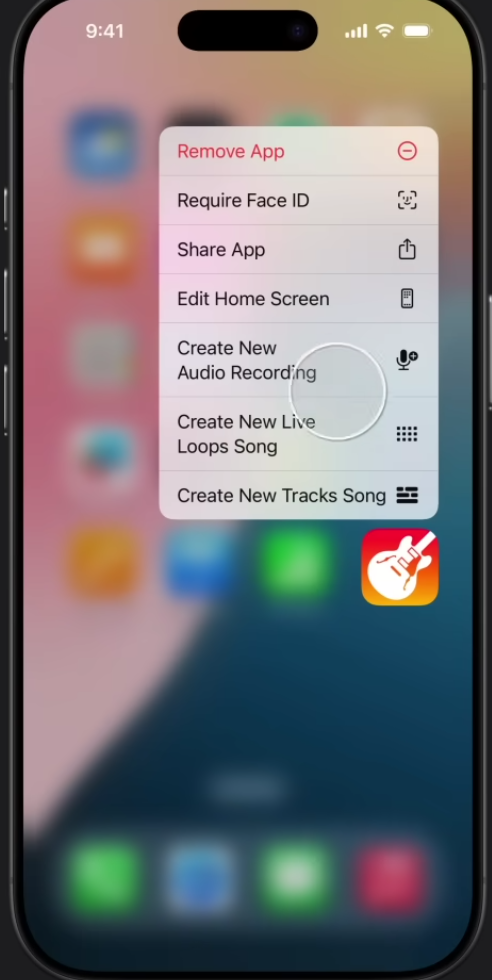
2. Open the GarageBand app, select 'Audio Recorder', and tap the Tracks icon (brick wall) at the top left.
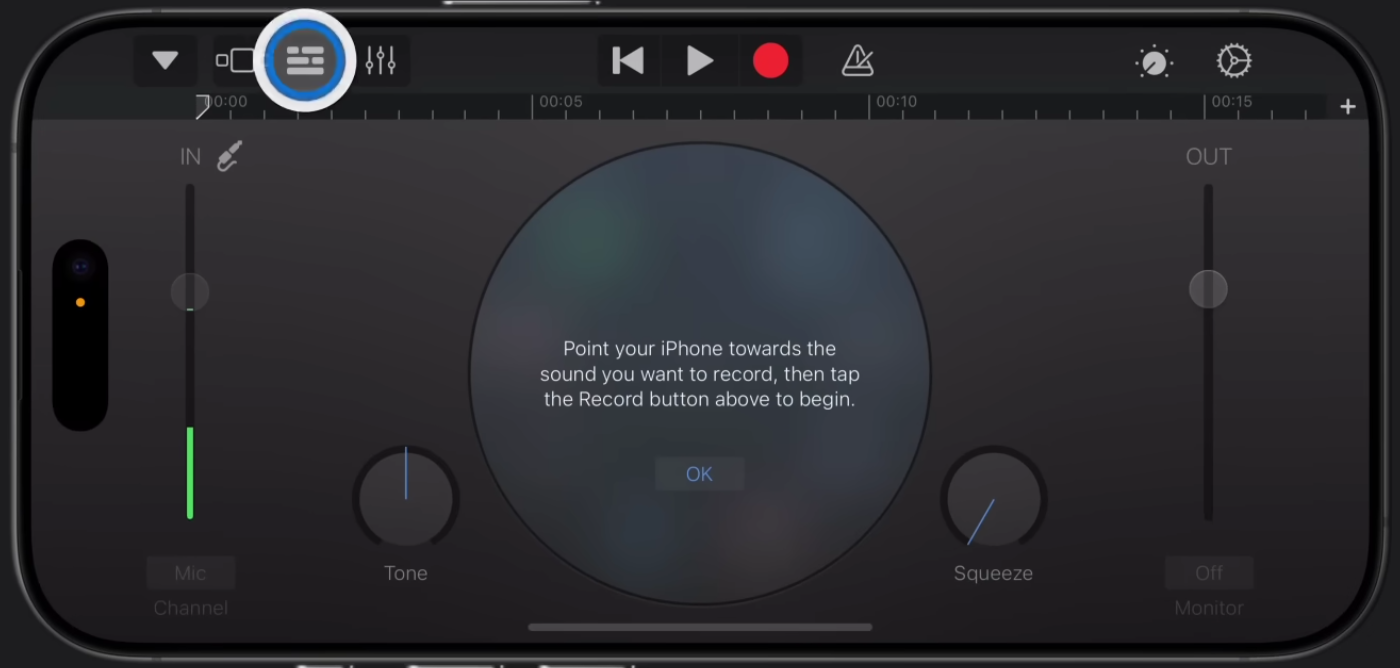
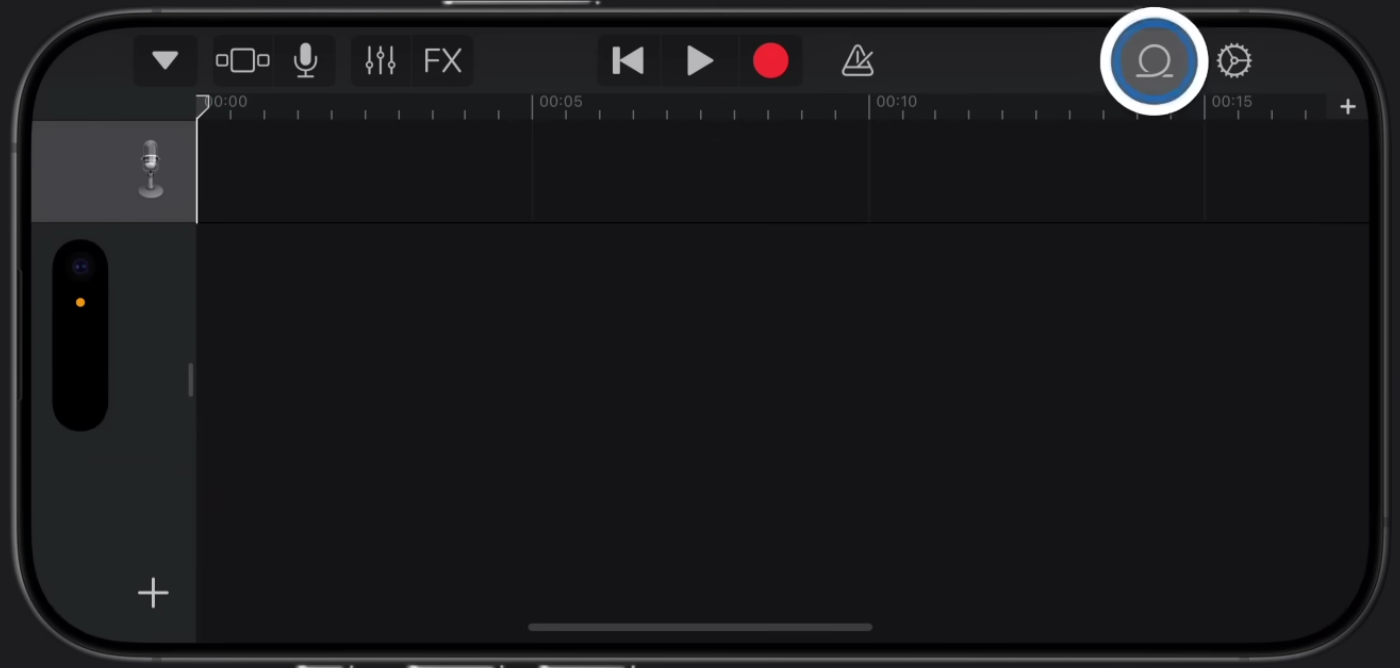
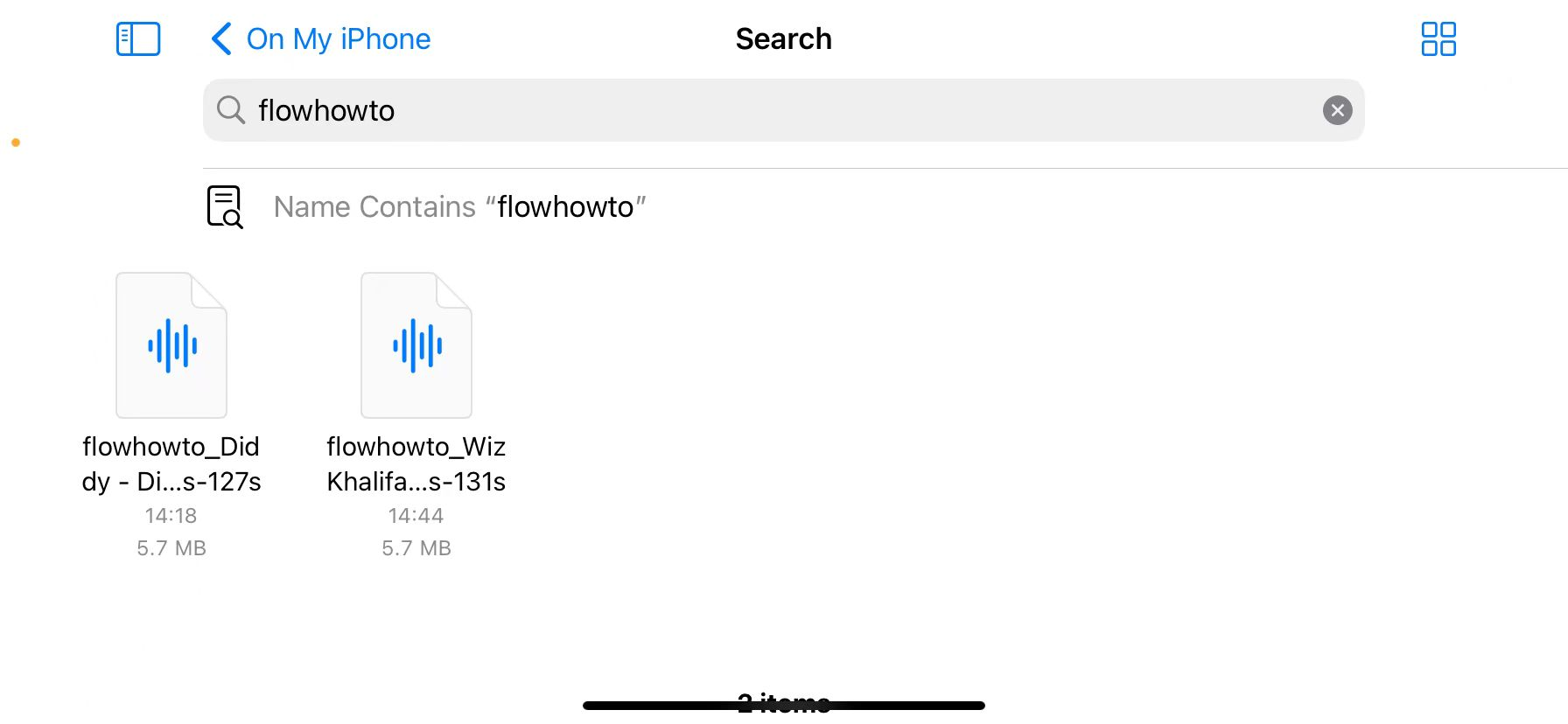
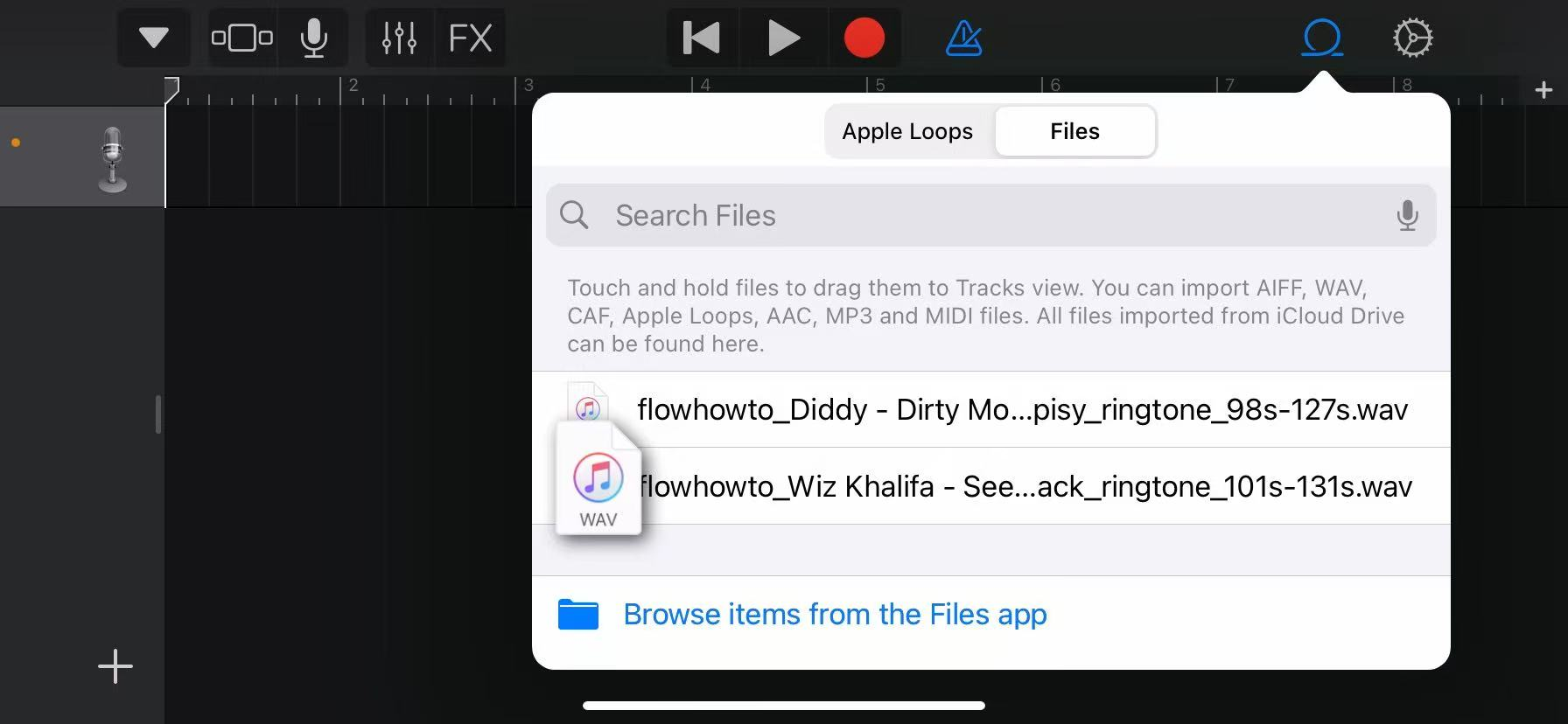
3. Tap the Loop icon at the top right, browse your Files (you can search for 'flowhowto' to find your trimmed file), then long-press and drag the audio onto the timeline.
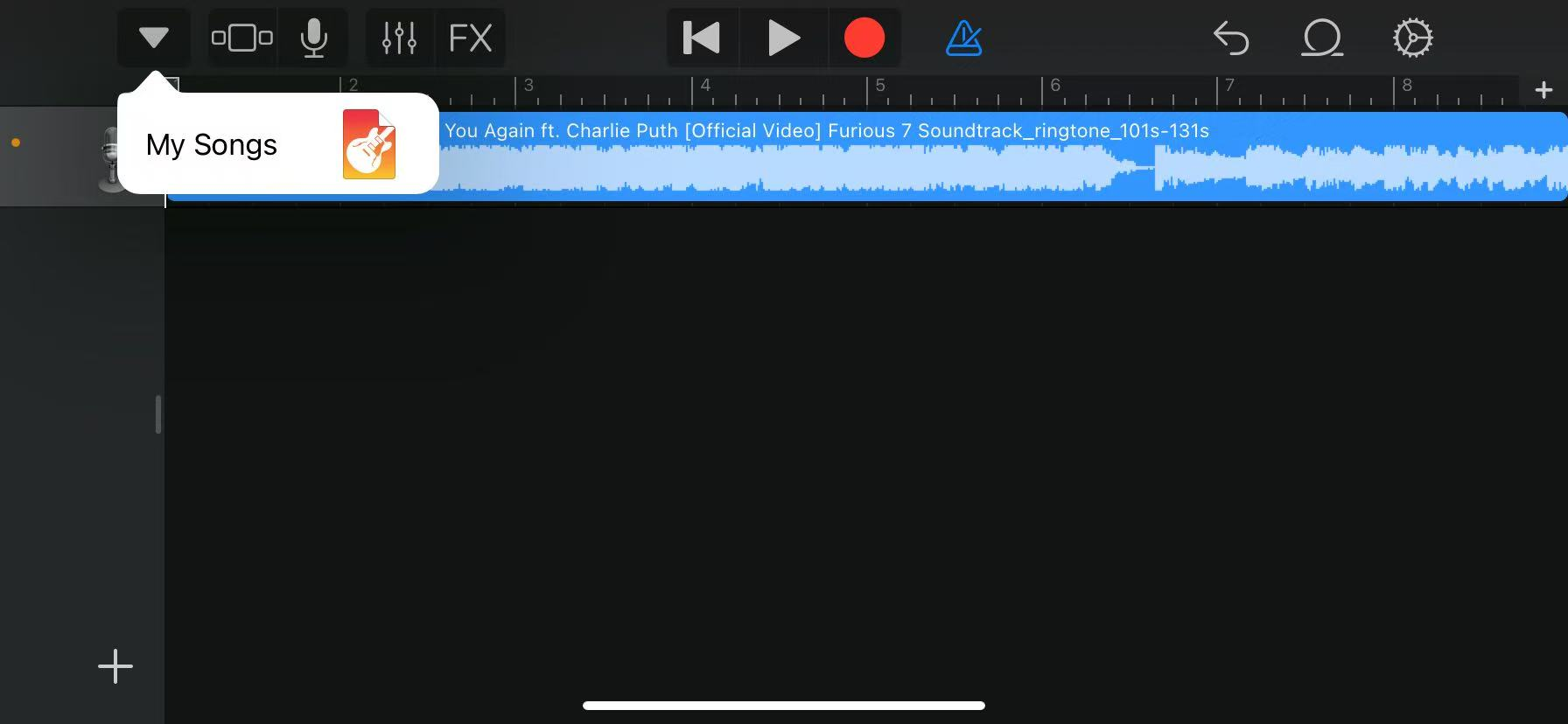
4. Our tool has already trimmed the clip to 30s for you. Tap the down arrow at the top left and select 'My Songs' to save.
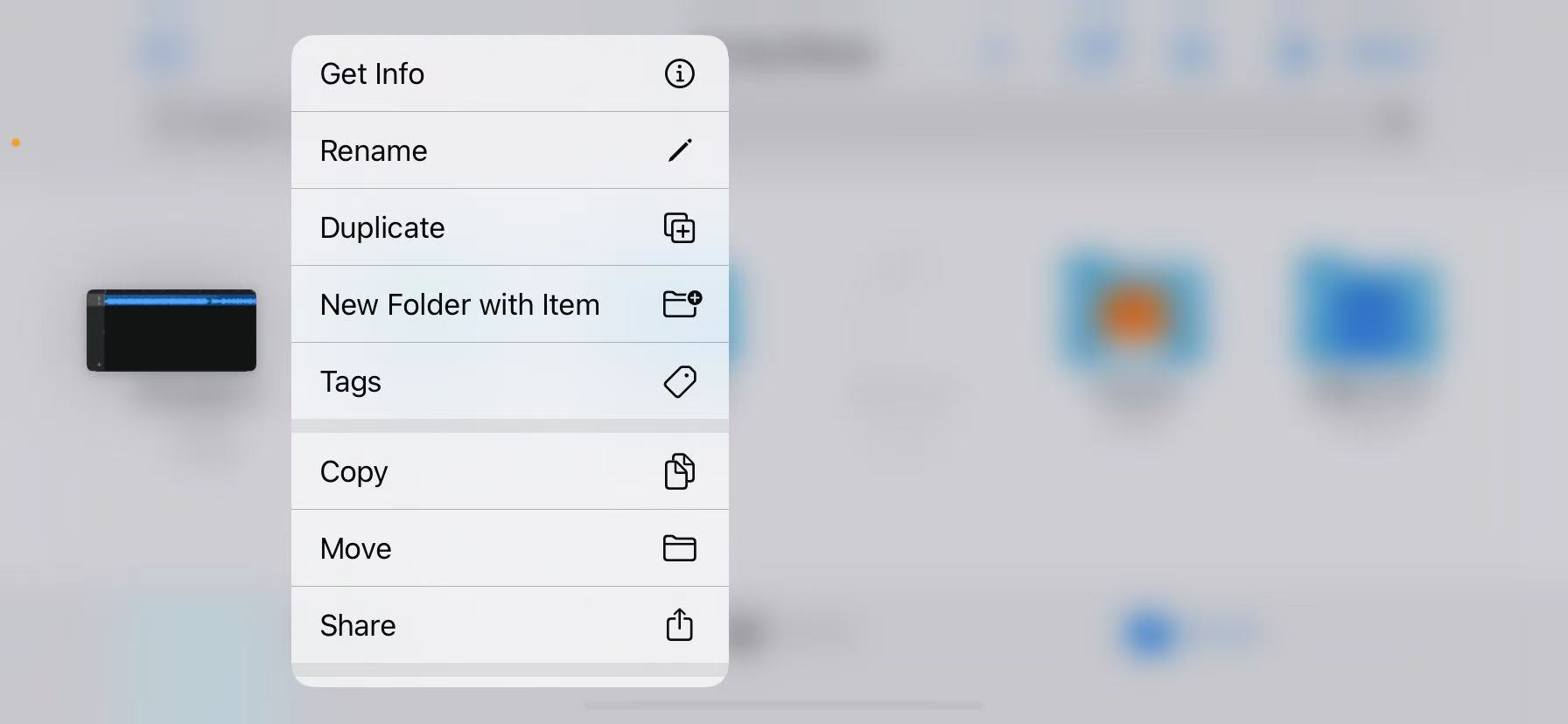
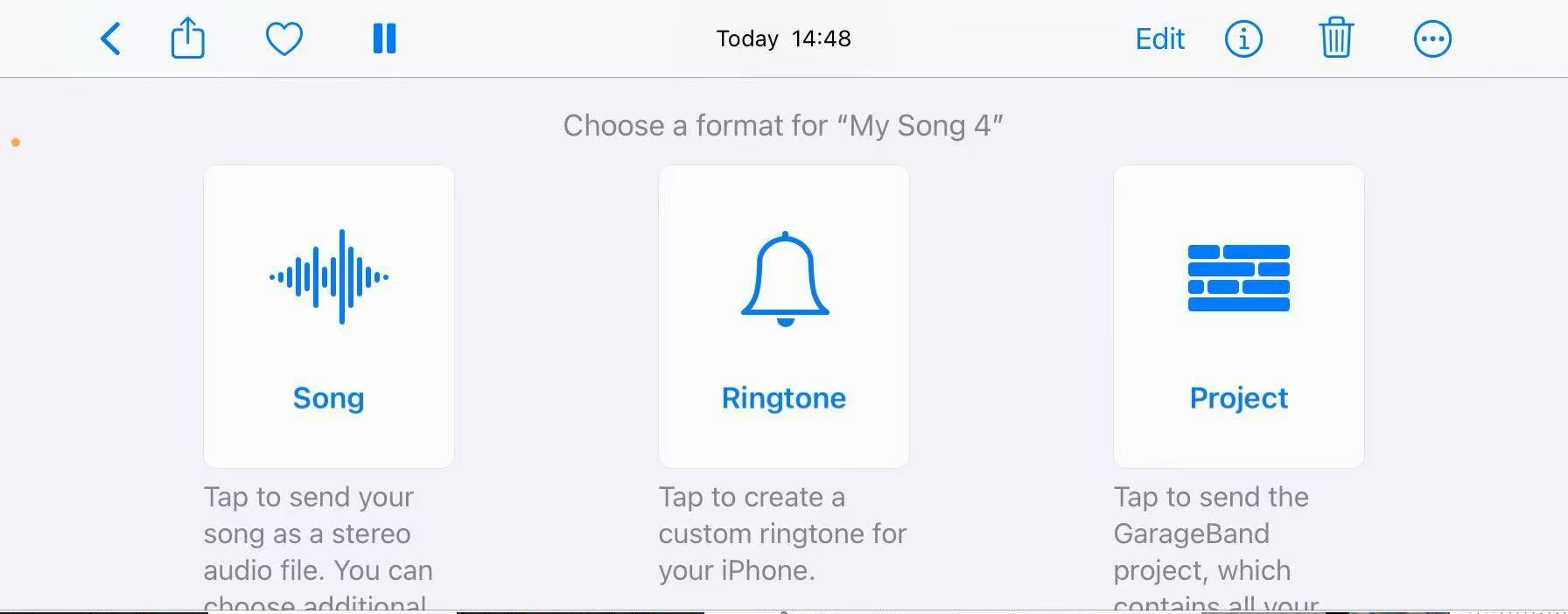
5. Long-press your project, tap 'Share' > 'Ringtone', name it, and tap 'Export'.
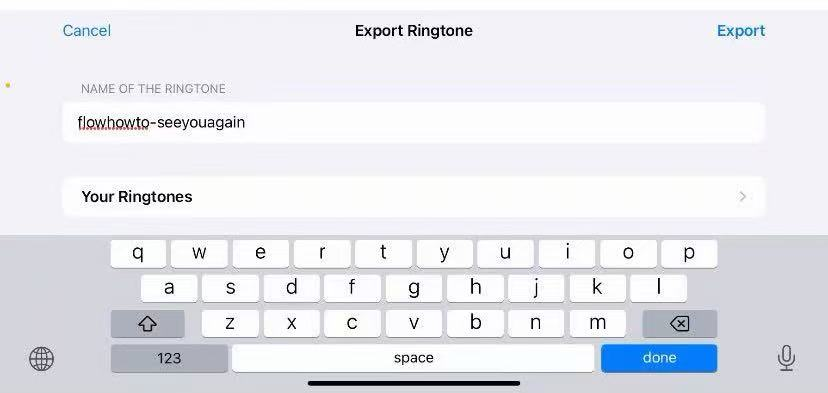
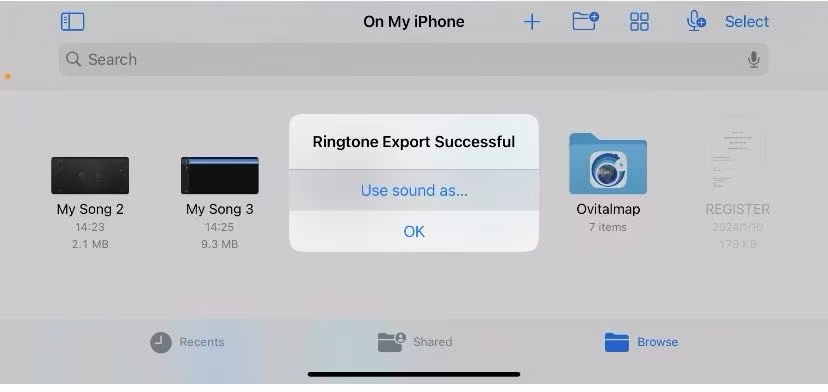
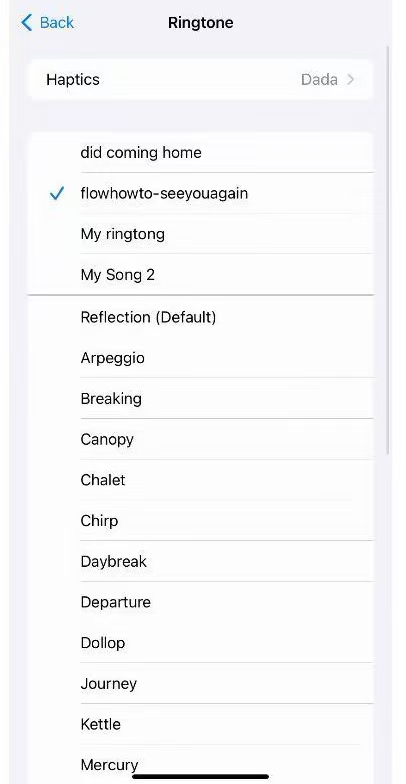
6. Once exported, tap 'Use sound as...' or select it in Settings > Sounds & Haptics > Ringtone.